SceneWise
For Ontario paramedics

A clinical reference and training app, built from the field

SceneWise puts the ALS PCS 5.4 directives, the OBHG Companion Document, dose calculators and daily training in one Android app. The clinical reference, calculators, medications and notes work without a connection.

In testing · ALS PCS 5.4 and OBHG Companion Document v5.1 · Not yet endorsed by RPPEO or OBHG
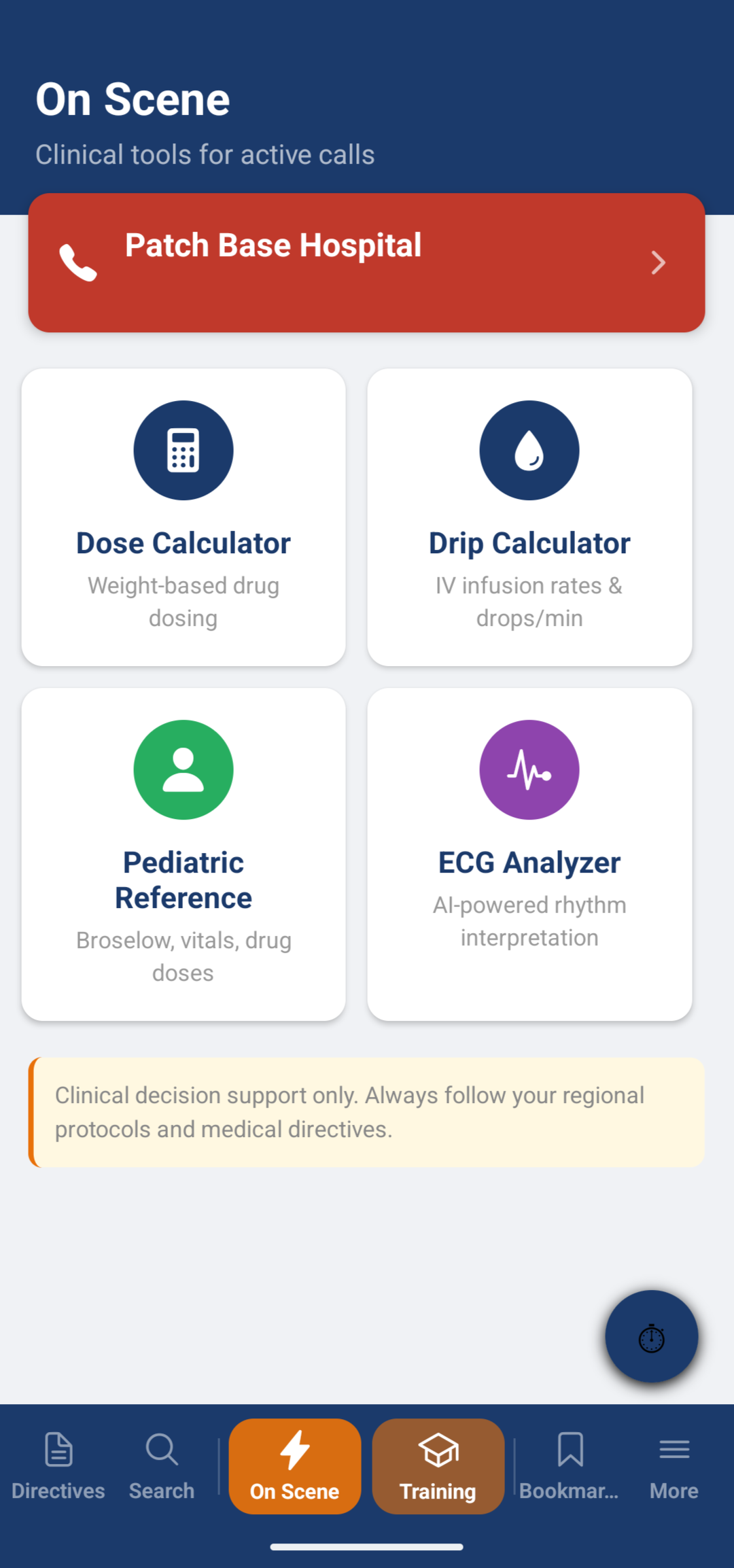
SceneWise On Scene tab with dose calculator, drip calculator, pediatric reference, ECG Analyzer and a patch base hospital button
Reference offline
Works without a connection
On-scene tools
Calculators one tap away

Built by a paramedic,
for the work.

SceneWise was designed by a 25-year Advanced Care Paramedic. Here is what it does today.

71 directives, on the device
PCP and ACP core, auxiliary and special event directives from ALS PCS 5.4, with the original flowchart pages on their own tab. The clinical reference works without a connection.
Companion document, where you need it
Key clarifications from the OBHG Companion Document v5.1 are worked into each directive, and the full companion notes sit on a separate Notes tab.
Mandatory patch banners
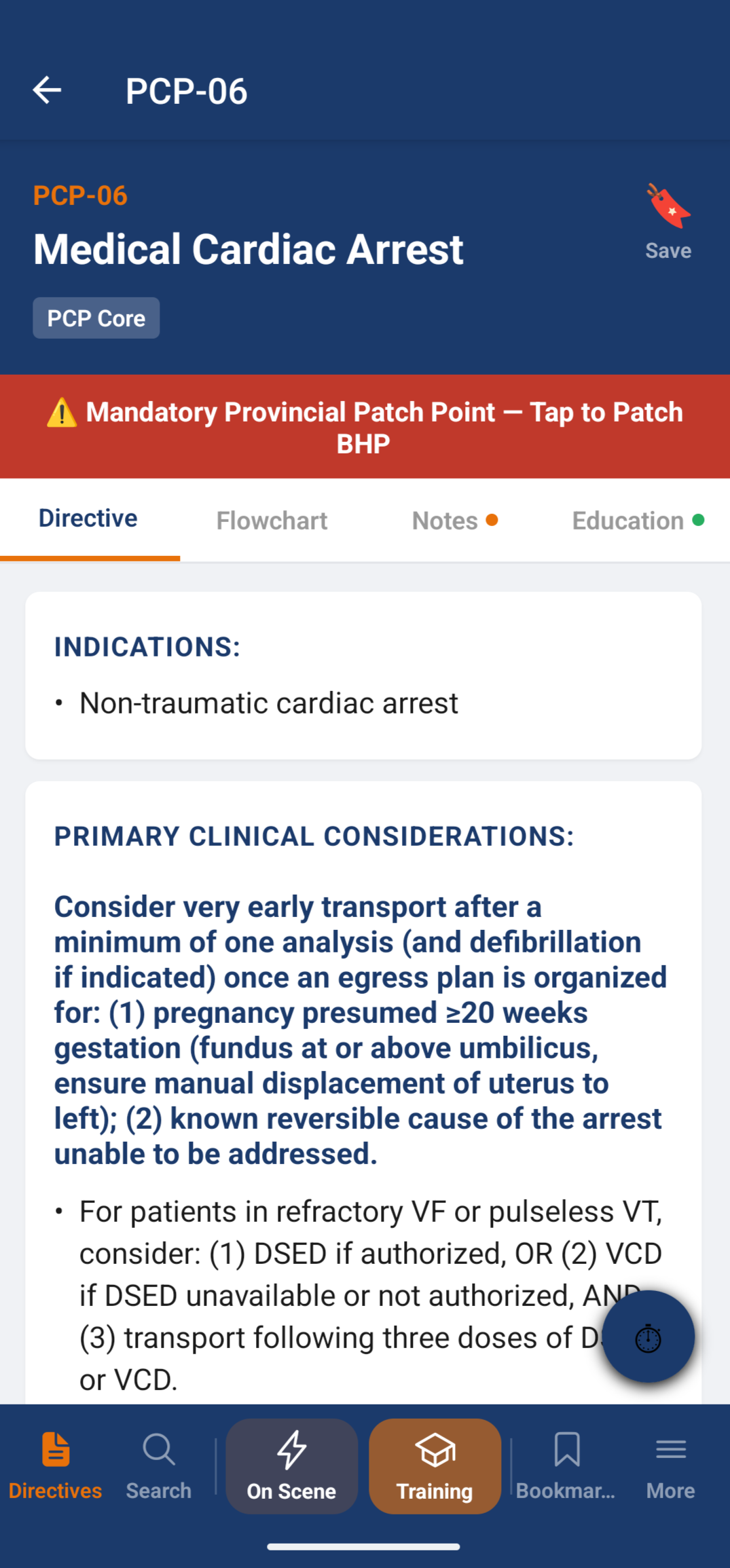
Directives with a mandatory patch point show a distinct red banner and a patch button, so the checkpoint is hard to miss.
Medications and calculators
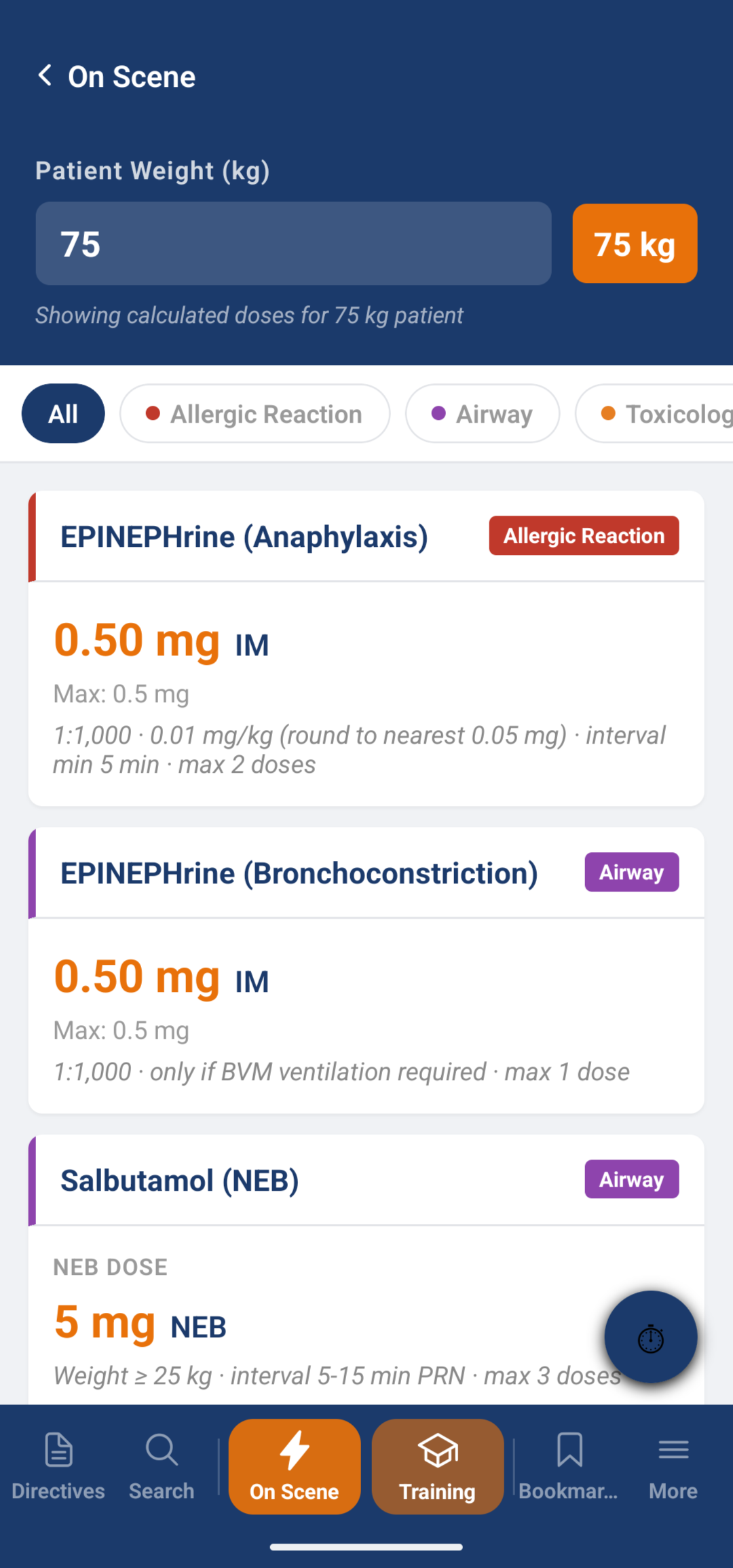
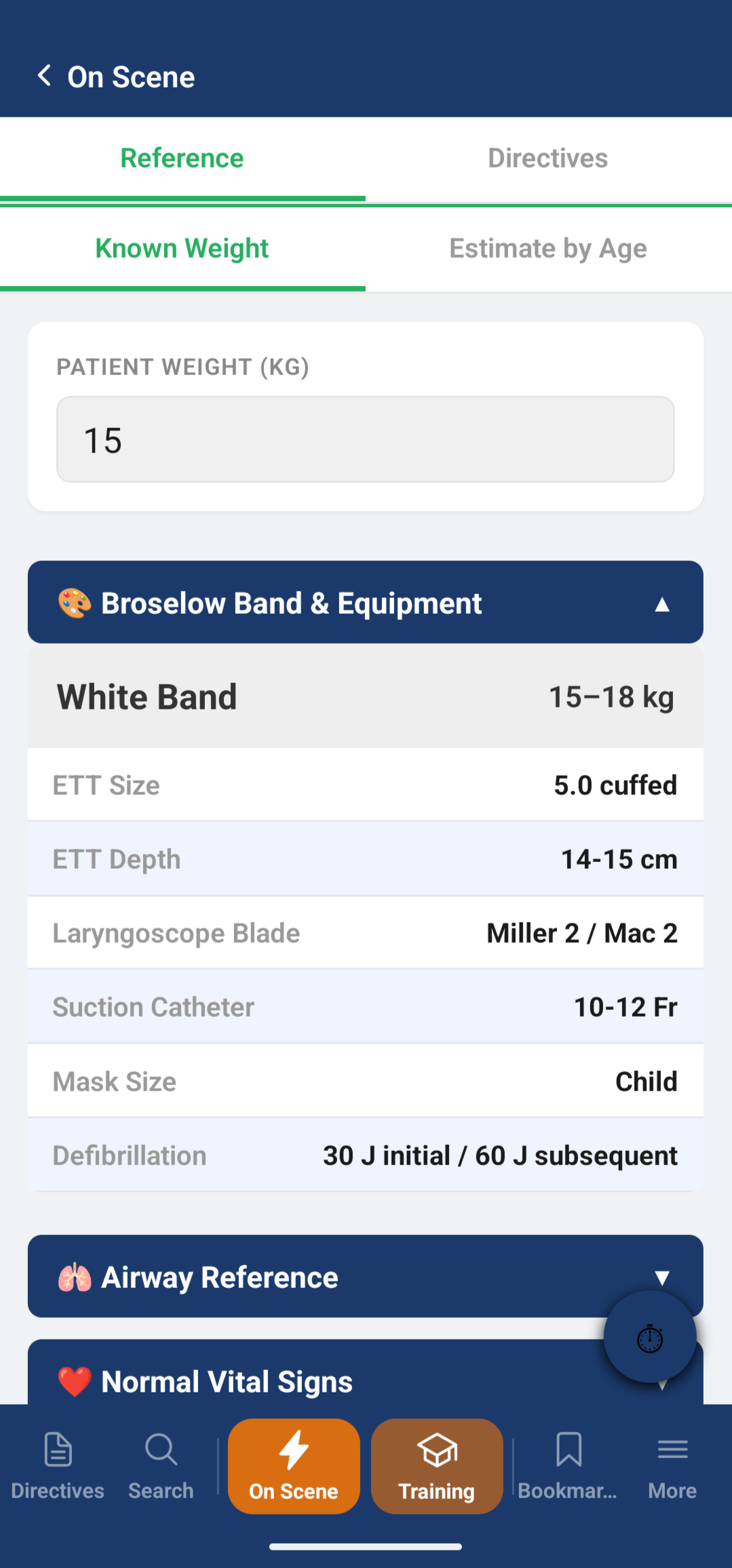
26 medication profiles, a weight-based dose calculator, a drip calculator and a pediatric reference. These work without a connection, along with your notes.
Education tab
Plain-language pathophysiology, how the drugs work, and skill technique alongside the directive. Education content is available for 28 directives, with more coming.
Learn: audio, flashcards, quizzes
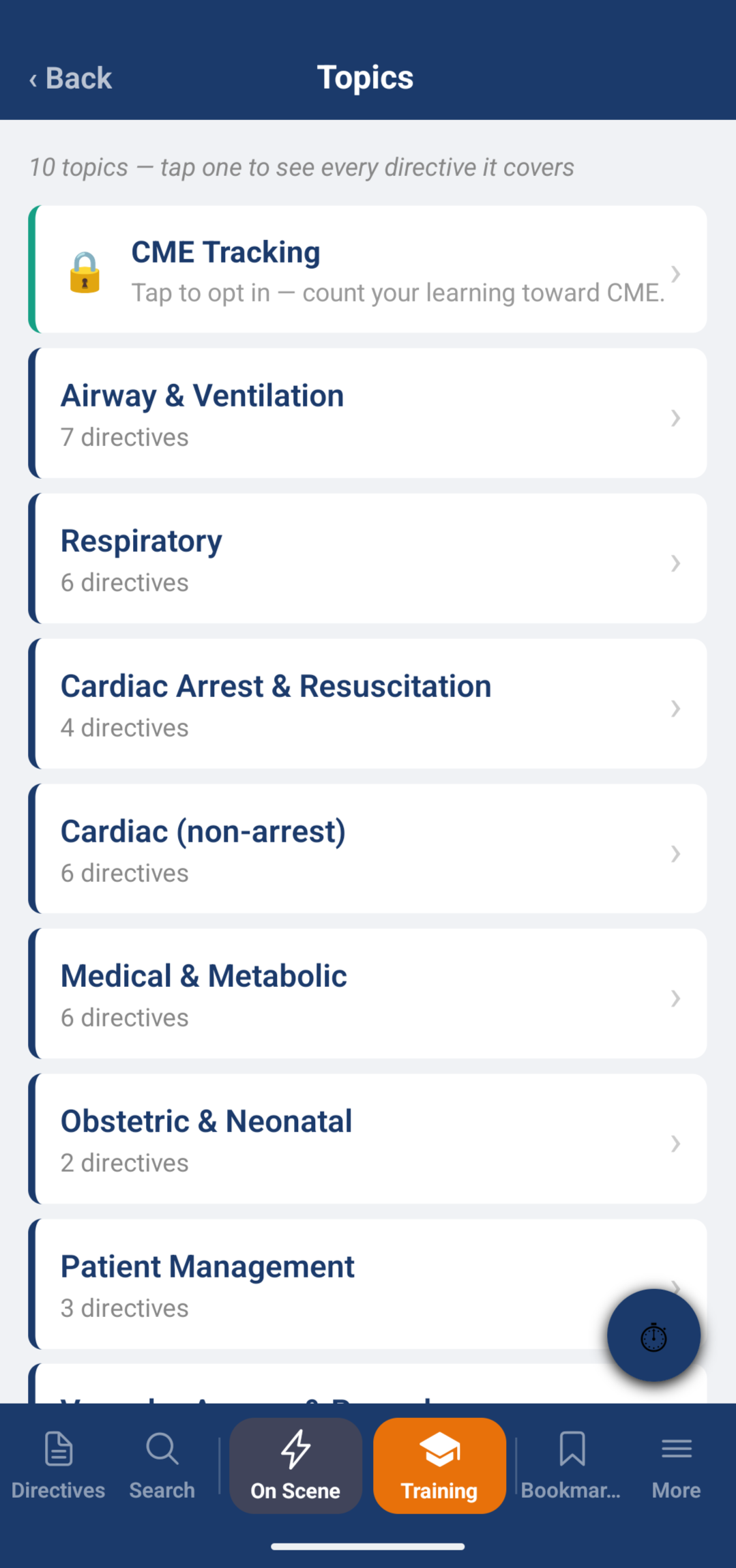
Ten clinical topics, each with narrated directives, flashcards and quizzes, so you can study by topic instead of by document.
Daily Dial-In
25 questions a day, matched to your level (PCP or ACP). It is rule-based and explainable: fixed rules choose the questions, with no hidden model behind it.
Leaderboard, opt-in and anonymous
Join if you want to. You appear under a nickname, optionally with your service, and never under your real name.
AI
ECG Analyzer
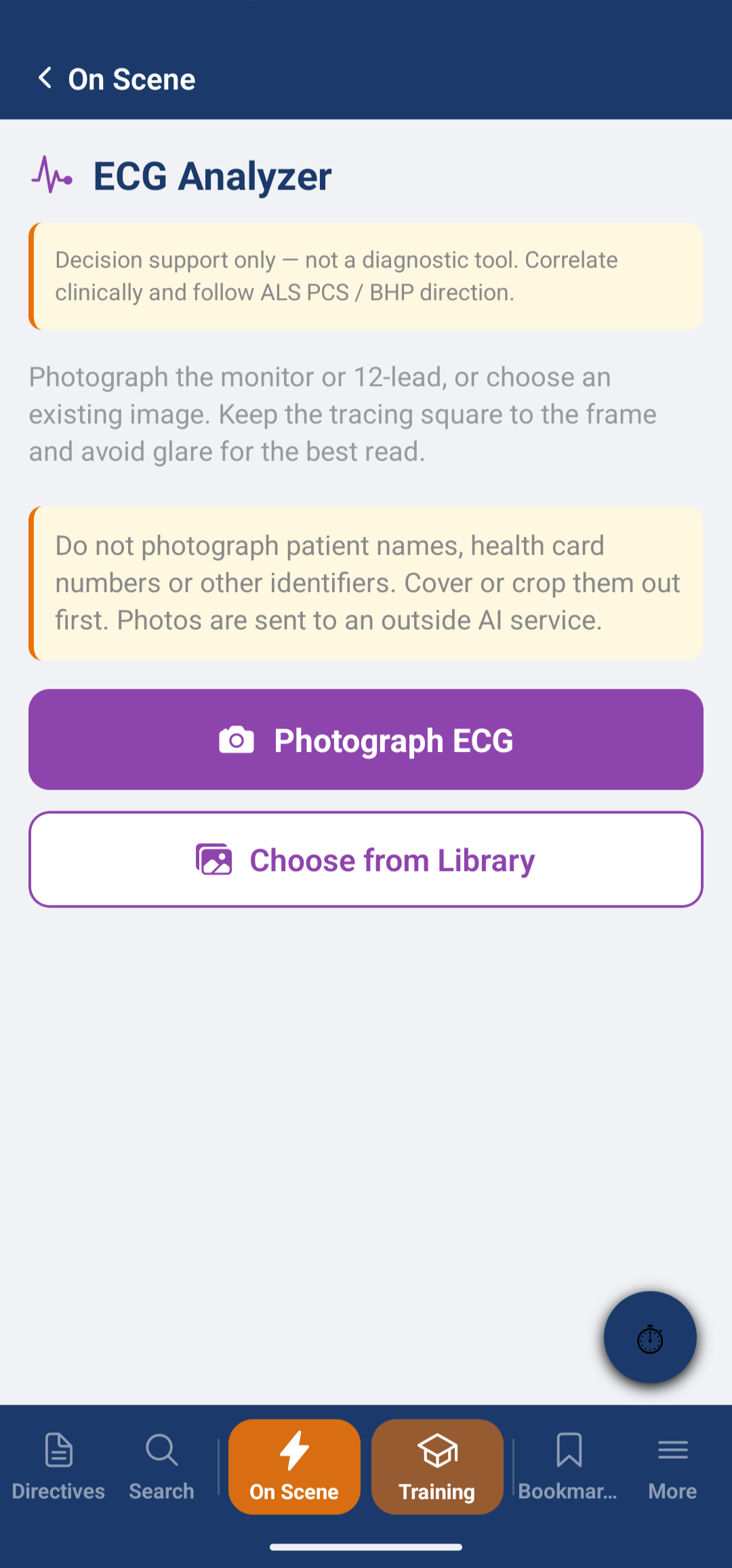
Photograph a monitor strip or 12-lead and get an AI-generated reading. This is the one feature that uses AI. It needs an internet connection, sends the photo to an outside AI service, and is decision support only, not a diagnostic tool. Do not photograph patient names or identifiers.

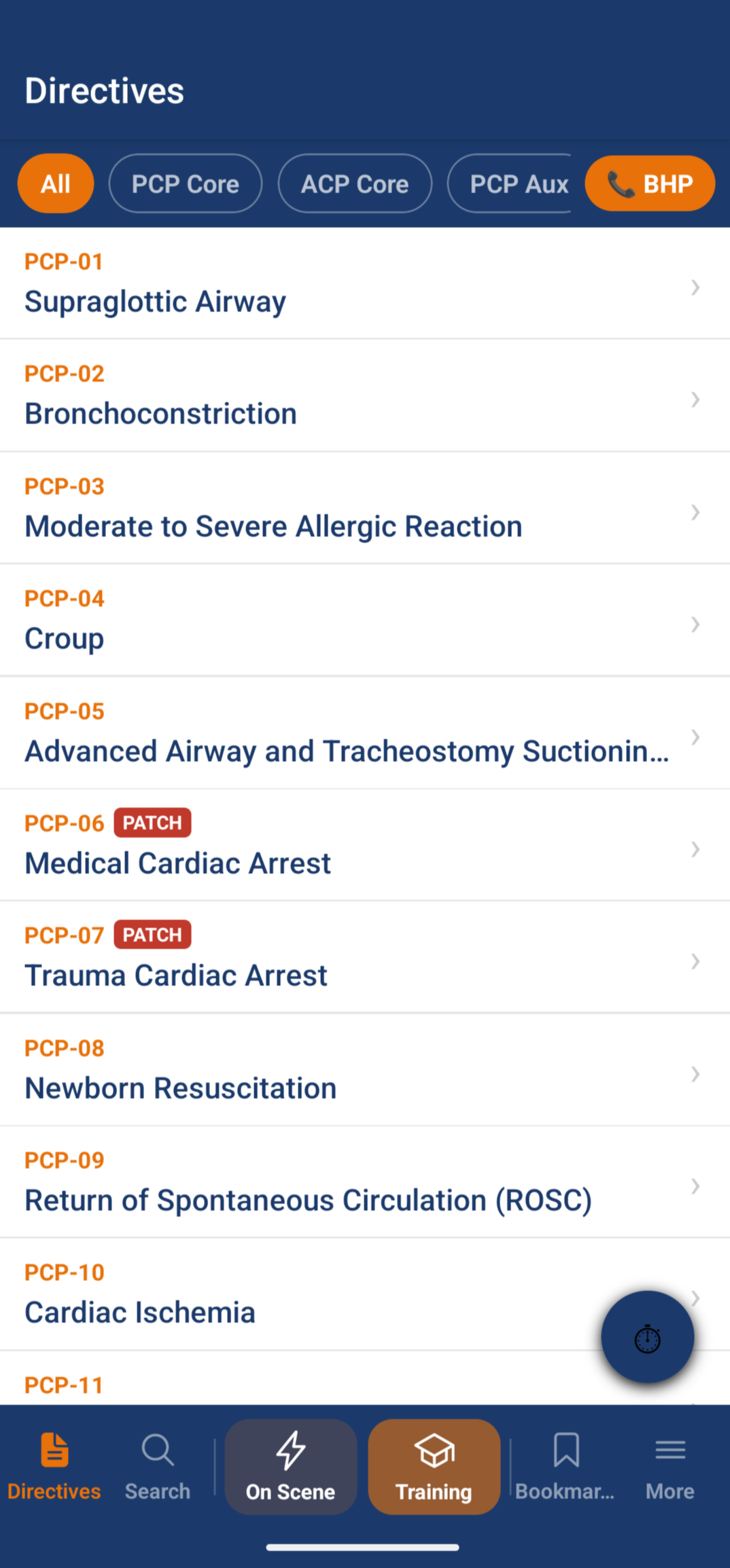
SceneWise directives list with filter bar and patch flags SceneWise PCP-06 Medical Cardiac Arrest directive with a mandatory patch banner and Directive, Flowchart, Notes and Education tabs SceneWise weight-based dose calculator showing calculated doses for a 75 kg patient SceneWise Learn topics list showing ten clinical topics and an optional CME tracking entry SceneWise Training Module showing 299 questions, Daily Dial-In, Leaderboard, Targeted Practice and Learn SceneWise ECG Analyzer screen with a decision-support-only notice and a warning not to photograph patient identifiers

Four views of every directive

Each directive opens on one screen with its own tabs, so the chart, the companion guidance and the background are one tap apart.

Directive, Flowchart, Notes, Education - four tabs per directive
Mandatory patch alerts - a prominent red banner on the directives that have a patch point
Companion guidance - clinical context from the OBHG Companion Document v5.1
Voice and text search - find a directive by typing or speaking
Request an in-person demo
SceneWise PCP-06 Medical Cardiac Arrest directive with a mandatory patch banner and Directive, Flowchart, Notes and Education tabs

It teaches as well as it references

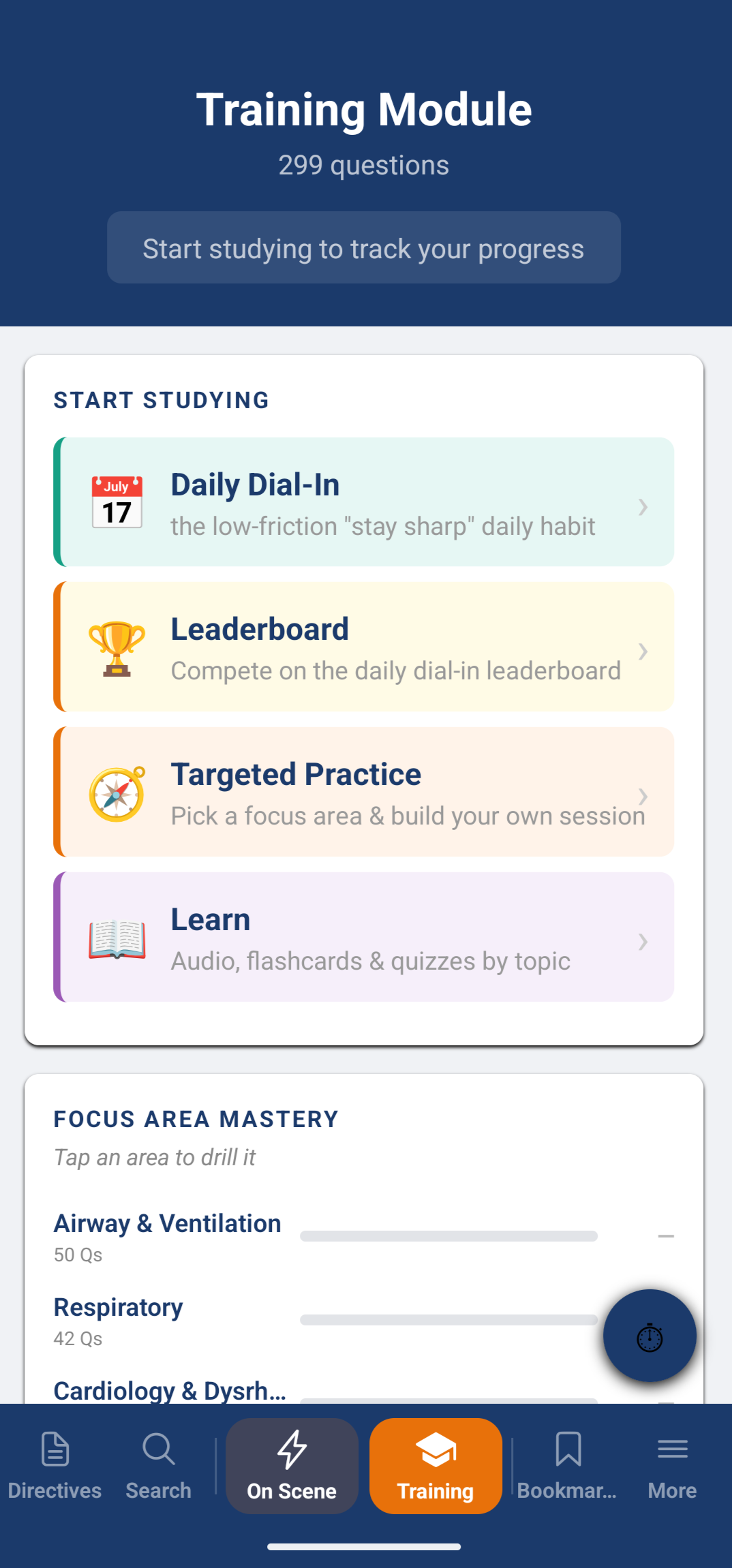
SceneWise includes a training module with 299 questions. Directive content and chart-based questions were reviewed against ALS PCS 5.4 and the OBHG Companion Document v5.1. Some training questions cover background physiology that explains why a directive works; those questions are not taken from either document. Answer options are shuffled each time, and your progress is tracked on your device.

Optional CME tracking is available and is kept separate from your training account.

Daily Dial-In
25 questions a day, matched to your level
Leaderboard
Opt-in and anonymous
Targeted Practice
Pick a focus area and build your own session
Learn
Audio, flashcards and quizzes by topic
SceneWise Training Module showing 299 questions, Daily Dial-In, Leaderboard, Targeted Practice and Learn
The Daily Dial-In is rule-based. It is not AI.
Privacy by design

Built to collect as little as it can

The clinical reference, your notes and your settings stay on your device. Training features use an anonymous account made of a random ID, a nickname and your level. CME tracking is optional, and it is kept separate from your training account so the two cannot be joined.

You can delete your training account, or your CME record, from inside the app. The full detail of what is collected and who processes it is in the privacy policy.

Read the privacy policy
Availability
Android: invite-only testing now, public release planned. iOS: in preparation.
Endorsement
Not yet endorsed by RPPEO or OBHG. SceneWise is not affiliated with RPPEO, OBHG or the Ministry of Health.
Anonymous by default
Training uses a random ID and a nickname. The leaderboard shows nicknames, never real names.
Delete in the app
Delete your training account or CME record from More, then Settings, then Your data.

Want to see SceneWise
in person?

If you are a paramedic, a paramedic service, or with a base hospital program and want a live look or to ask about testing, get in touch. No slides - just the app, in your hands.

Request a demo
Or email directly: hwesley@mdaihealth.com | Wesley Holman, ACP | 613-217-1374